New home page and notifications
The web platform gets a redesigned home page, notifications in the platform and by email, and more private people search. The next Android release adds joining experiments with a code.
This release updates the web platform. The Android app follows in its next release.
Home
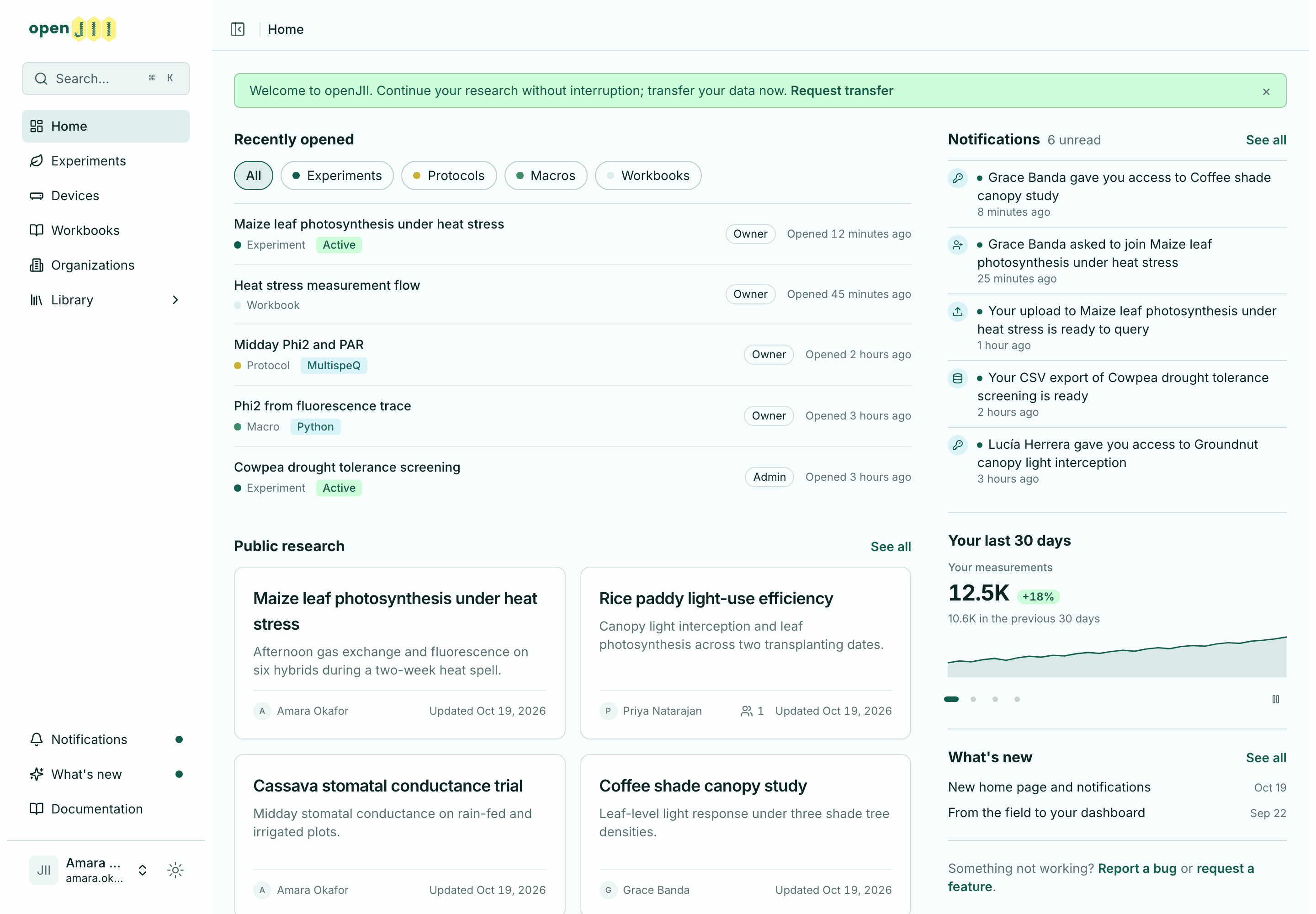
The platform home has been redesigned and is now called Home. It lists the five experiments, protocols, macros and workbooks you opened most recently, with your role on each, and the list can be filtered by type. Your unread notifications, a rotating summary of your last 30 days and the latest What's new entries are shown next to it. Public research and recent blog posts follow below.
Researchers without experiments see three options instead: create an experiment, join an organization or browse public research.
Notifications
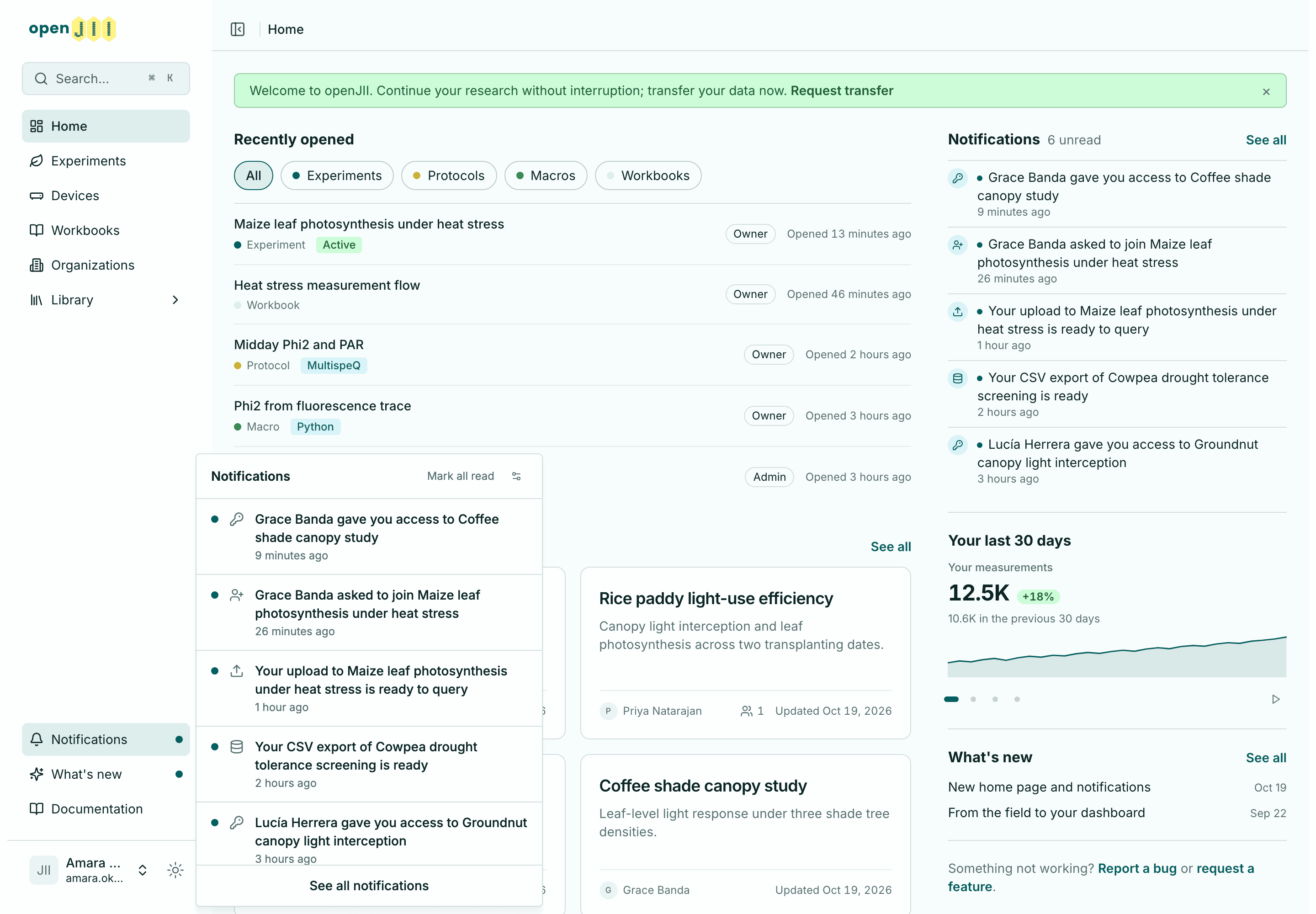
The platform now notifies you about requests to join your experiments and organizations, decisions on your own requests, organization invitations, changes to your access, completed project transfers and uploads that are ready to query. Notifications appear under the bell in the sidebar and on a Notifications page, where they are grouped by day and can be filtered by category and by read state. A notification read on one device is marked as read on all of them.
A new Notifications tab in account settings sets which categories are also sent by email. Emails that fail to send are retried.
Privacy
People search and the sharing and invitation pickers no longer show other users' email addresses. To find someone by email, enter their full address. Organization owners and admins can still see their members' addresses.
The names of deactivated contributors no longer appear in data tables or exports.
Data and charts
The experiments list can be filtered by status and visibility, and the workbooks list by visibility. Filters are kept in the page address, so a shared link opens the same view.
Large JSON exports no longer fail, interrupted downloads resume where they stopped, and uploads are no longer limited to 30 seconds.
Workbook results now choose their time-series charts from the measurement data. MultispeQ data recorded with a generic protocol gets a Timeseries tab, and Ambit traces use their own timestamps and units. Charts coloured by a text column, such as genotype, colour each category correctly again. Dashboard range filters with a missing or reversed bound are marked as invalid instead of being ignored.
Performance
Pages load with their data instead of showing a loading state first, images are served at the size they are displayed, and large workbooks and dashboards respond faster. The public site is now also served from locations in Africa, the Middle East and Asia.
Next Android release
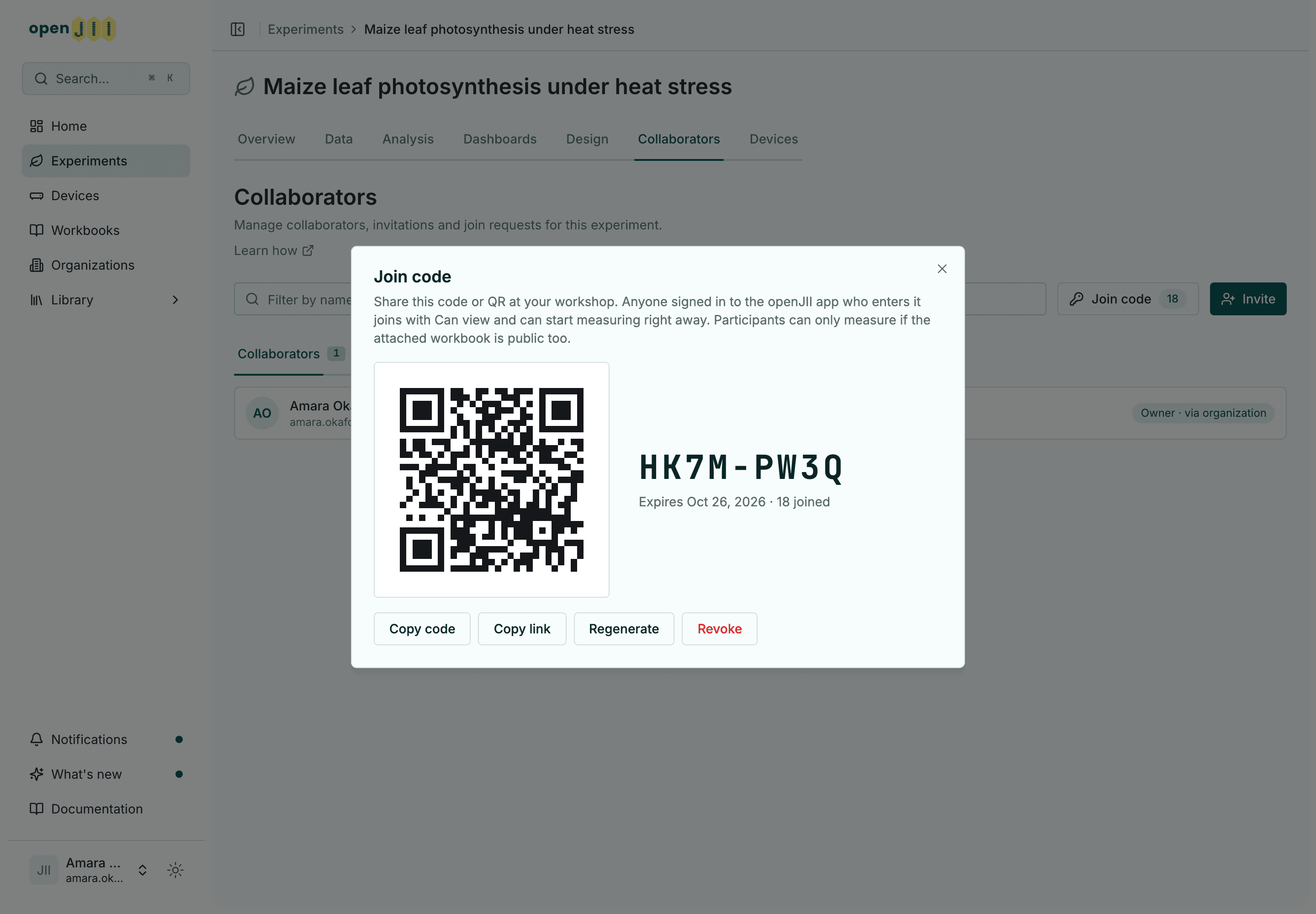
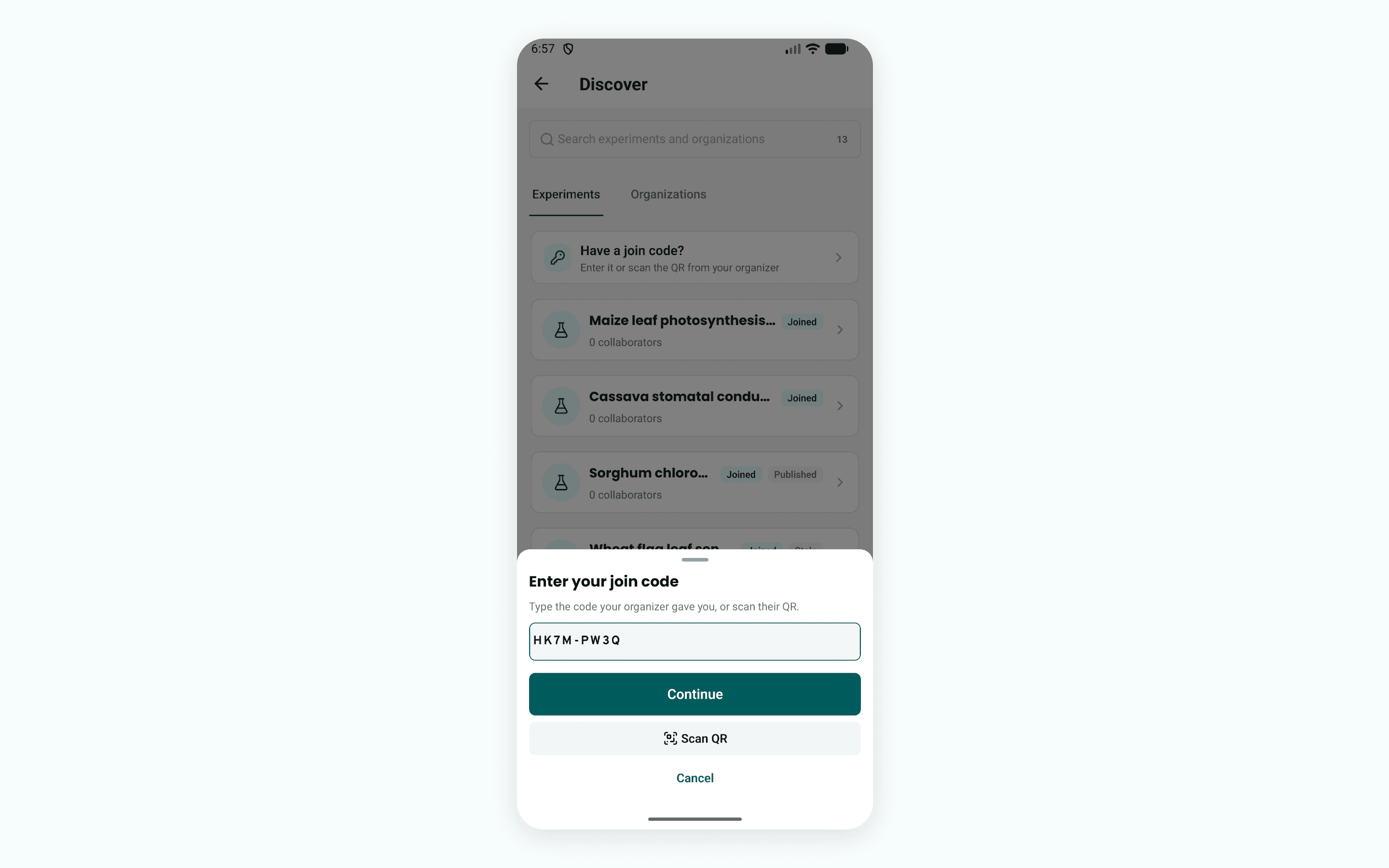
Organizers can create a join code for a public experiment on its Collaborators tab, where it is shown with a QR code and a count of the people who have joined. The next Android release lets participants enter the code or scan the QR code and join the experiment with view access, which is enough to take measurements. It also adds a Discover page that lists public experiments and organizations, from which you can request to join an experiment.
The same release fixes several problems reported from field use. Repeated taps on Accept save a single measurement, workbooks with two macro steps save a row for each step, and uploads that failed while offline are retried when the connection returns. Python macros report that they need an internet connection instead of loading indefinitely.